
You will first create a TEXTURE COLLECTION. Find interesting textures and photograph them. You'll need a collection of at least 30 photos of just textures.
http://www.mayang.com/textures/ This is a site where you can find free textures.
You may also take your own photos or use sxc.hu. Google is fine as long as images are licensed for reuse with modification. You may also use www.pixabay.com
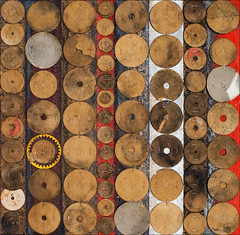
Then, use your textures to create a digital collage that uses texture using Paint.NET. Below are some examples. Notice how they have selected a color theme. This helps to give the collage unity.
http://www.mayang.com/textures/ This is a site where you can find free textures.
You may also take your own photos or use sxc.hu. Google is fine as long as images are licensed for reuse with modification. You may also use www.pixabay.com
Then, use your textures to create a digital collage that uses texture using Paint.NET. Below are some examples. Notice how they have selected a color theme. This helps to give the collage unity.



Links:


